


Building a safe, consistent approach: AI collaborators, not delegators
We’re currently shaping our Secondary approach to AI: one that improves learning while protecting students, staff, and the school. This is a draft guidance document, shared here to invite feedback before it becomes formal policy.
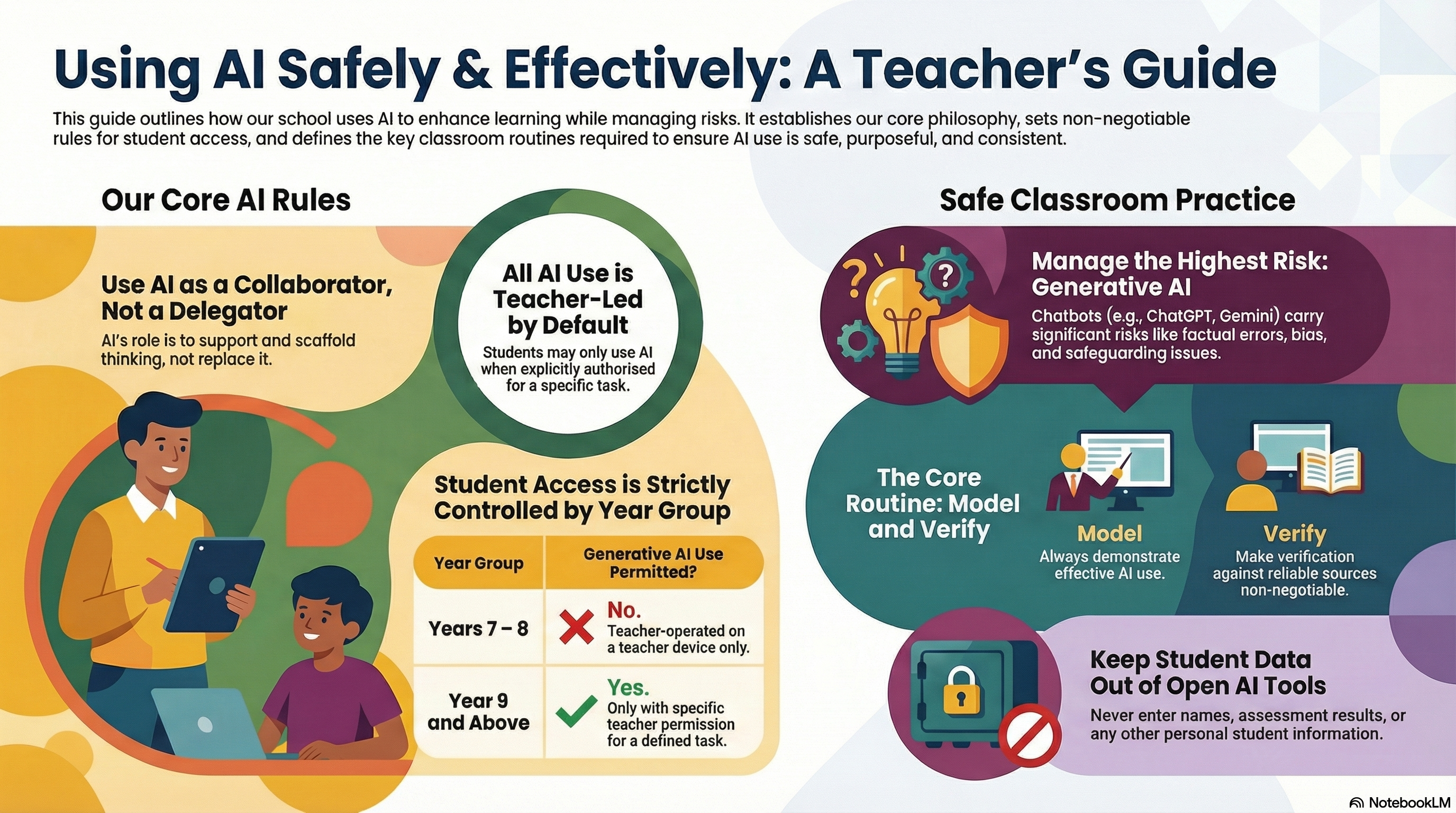
“AI collaborators, not delegators.
AI can support thinking, but it must not replace it.”
What we’re trying to achieve
AI is already influencing how students learn and how teachers plan. Our aim is to make AI use:
- purposeful (adds learning value)
- safe (safeguarding and data protection first)
- consistent (clear routines across classrooms)
- honest (protects academic integrity)
Our core principles (the “always”)
- Teacher-led by default
- Model first, then release
- Protect student data
- Verification is non-negotiable
- Learning comes before tools
“If AI doesn’t add learning value, we don’t use it.”
The non-negotiable rule: student access to generative AI
Not all AI tools carry the same risk. “Forward-facing” generative AI (chatbots that write, explain, generate, etc.) needs the clearest boundaries.
Years 7–8
- Students are not allowed to use generative AI independently.
- If AI is used, it must be teacher-operated on the teacher device for modelling (whole-class or small group).
Year 9+
- Students may use generative AI only when explicitly permitted by the teacher, for a defined task.
All year groups
- Students only use generative AI when the teacher says:
“You may use it now, for this purpose.”
“The biggest risk isn’t the tool, it’s unstructured access.”
Not all AI is the same: types and risks
1) Smart features (lower risk)
Spellcheck, predictive text, captions, translation, smart search
Risk: over-reliance; subtle shifts in meaning/tone
2) Adaptive/diagnostic AI (moderate risk)
Platforms that adapt questions/feedback based on performance
Risk: misplaced trust in scores; narrowing learning; data sensitivity
3) Generative AI (highest classroom risk)
Chatbots and tools that generate text/images/code/explanations
Risks: confident errors (“hallucinations”), bias, safeguarding, data protection, academic integrity, dependency
The classroom routines that make AI safe and useful
1) Model it every time
When you demonstrate AI, narrate the thinking:
- what you asked it to do
- why that prompt was chosen
- how you checked accuracy
- what you rejected or improved, and why
A simple script:
- “I’m using AI for one specific job.”
- “We don’t accept the first answer, we verify.”
- “If it can’t be checked, we don’t use it.”
2) Permission-based student use (Year 9+ only)
When you authorise student use, specify:
- Tool (which platform)
- Task (what outcome)
- Boundaries (what it must not do)
- Evidence (what students must show)
Suggested permission statement:
“You may use AI for planning and feedback only. You may not submit AI-written final work. You must submit your prompts, key outputs, and your edits with explanations.”
3) Verification is non-negotiable
Whenever generative AI is used, students must complete at least two checks, for example:
- check against notes/textbook/mark scheme
- cite what they used to verify (page/slide/lesson resource)
- identify and correct a limitation/error/oversimplification
- explain the final answer in their own words (“because…”)
“AI can be helpful and wrong. Checking is part of the learning.”
Data protection: what never goes into open AI tools
Do not enter:
- student names or photos
- SEN/learning support details
- safeguarding information
- identifiable assessment results
If you need personalisation, use anonymous placeholders (e.g., “Student A”, “Year 8 learner”).
Academic integrity: protecting the learning
The strongest safeguard is task design and evidence routines, such as:
- planning notes and annotated drafts
- checkpoints during lesson time
- short verbal checks (mini-viva)
- in-class writing
- tasks that require lesson-specific context (practicals, discussions, local data)
This isn’t about catching students out, it’s about ensuring the work reflects their understanding.
Safeguarding and inclusion
- Younger students should not have private, unmonitored AI spaces.
- If inappropriate content appears, stop immediately and follow safeguarding procedures.
- Used deliberately, AI can support access (vocabulary, rephrasing, scaffolds) without lowering the level of challenge.
How we’ll embed this: coaching and consistency
To make this real in classrooms, we’ll keep expectations observable and coachable. A simple coaching lens:
- What was the learning purpose for AI?
- Why did it add value here?
- How did the teacher model, set boundaries, and require verification?
Download: one-page teacher checklist
To make this easy to implement, here’s the printable checklist to use for planning and coaching conversations:

Leave a Reply